









公開中Published
脆弱性 一次評価Vulnerability First-Pass Review
社内ドキュメントを横断し、リスク項目を一次評価。First-pass scoring of risk items across your internal documents.
新規実行New Execution 履歴History
事前定義された大量の質問や項目リストに対して一括で自動処理を実行することで、組織の人手の負荷が高い業務を劇的に効率化します。 By running automated batch processing across large, pre-defined lists of questions and items, AskDona dramatically streamlines the labor-intensive work your organization handles by hand.
セキュリティチェックシート、監査項目、規程確認、リスクアセスメントなど、大量の確認項目に対して、AskDonaが社内文書を横断して回答案を作成します。 For large volumes of checklist items — security questionnaires, audit items, policy checks, risk assessments — AskDona drafts answers by searching across your internal documents.
ExcelやCSVなどで管理している質問リスト、評価項目、確認項目をまとめて登録できます。セキュリティチェックシート、監査項目、社内規程の確認リストなど、定型化された大量項目をそのまま処理対象にできます。Register question lists, evaluation items, and checklists managed in Excel or CSV — all at once. Standardized, high-volume items like security questionnaires, audit items, and policy checklists can be processed as-is.
AskDonaが、登録済みの規程、マニュアル、設計書、運用資料、過去文書などを横断して確認します。各質問に対して、回答に必要な情報がどの資料にあるのかを探索します。AskDona searches across your registered policies, manuals, design docs, operational materials, and past documents — locating which document holds the information each answer needs.
質問ごとに、回答案、判定、理由、参照元を一覧で出力します。「対応」「未対応」「対象外」「判断不可」などのステータスを使った評価業務にも活用できます。For each question, it outputs a draft answer, judgment, reason, and source as a list — supporting evaluation work with statuses like Compliant / Non-compliant / Out of scope / Cannot determine.
AIが一次回答を作成することで、人がゼロから資料を探し、回答文を作る負担を削減します。担当者は、根拠を確認しながら、修正・承認・最終判断に集中できます。With AI creating the first draft, the burden of searching documents and writing from scratch drops. Staff focus on review, approval, and final decisions while checking the evidence.
セキュリティチェックシート、監査項目、評価項目、確認リストなど、Excelで管理している質問リストをそのまま登録できます。AskDona上で質問を一つずつ入力し直したり、コピー&ペーストしたりする必要はありません。 Register question lists you manage in Excel — security questionnaires, audit items, evaluation items, checklists — exactly as they are. No re-typing questions one by one, no copy-pasting into AskDona.
既存のフォーマットを活かしたまま、複数の質問項目をまとめて処理対象にできます。 Keep your existing format and process many question items together, all at once.
管理者が事前に設定した回答方針や評価基準に沿って、AskDonaが各項目を処理します。「対応」「未対応」「対象外」「判断不可」など、業務に合わせた判定区分を使いながら、回答案と判定理由を作成できます。 AskDona processes each item along the answer policy and evaluation criteria an administrator sets in advance. Using judgment categories that fit your work — Compliant, Non-compliant, Out of scope, Cannot determine — it drafts answers and the reasoning behind each judgment.
担当者ごとに判断や回答の粒度がばらつきやすい業務でも、同じ基準に沿った一次回答を作成しやすくなります。 Even for work where judgment and answer granularity tend to vary by person, it's easier to produce first-draft answers that follow the same criteria.
AskDonaは、登録済みの社内文書を横断し、各質問に必要な情報を探索します。規程、マニュアル、運用資料、設計書、過去の回答資料など、複数の情報源を確認しながら、回答に使うべき根拠を集めます。 AskDona searches across your registered internal documents for the information each question needs. It checks multiple sources — policies, manuals, operational materials, design docs, past answer records — and gathers the evidence to use in the answer.
単純なキーワード検索ではなく、質問の意図と評価基準を踏まえて、関連する情報を探しにいきます。 Not a simple keyword search — it seeks out relevant information based on the question's intent and the evaluation criteria.
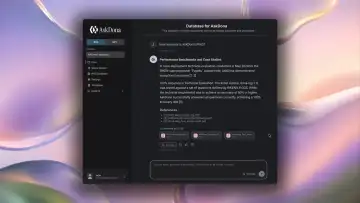
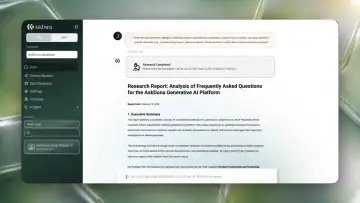
処理結果は、質問項目ごとに一覧で確認できます。回答案だけでなく、判定、判断理由、参照元、確認が必要な点まで整理されるため、担当者は出力結果を見ながら効率よく確認できます。 Review results as a list, item by item. Beyond the draft answer, the judgment, reasoning, source, and points needing review are all organized — so staff can verify efficiently while looking at the output.
生成結果は、登録したExcel形式のままダウンロードすることもでき、既存の業務フローに組み込みやすい形で活用できます。 Results can be downloaded in the same Excel format you registered, making them easy to fold into existing workflows.
AskDonaは、「AIが判断したから正しい」という前提にはしません。各判定には、参照した資料、該当箇所、判断理由が紐づくため、担当者は根拠を確認しながら妥当性を検証できます。 AskDona never assumes “it's right because the AI judged it.” Each judgment is linked to the referenced documents, the relevant passages, and the reasoning — so staff can verify validity while checking the evidence.
人がゼロから資料を探すのではなく、AIが提示した証跡をもとに確認することで、説明責任を保ちながら業務を進められます。 Instead of searching documents from scratch, people verify based on the trail the AI presents — keeping accountability intact while moving work forward.